> ## Documentation Index
> Fetch the complete documentation index at: https://gando.mintlify.site/llms.txt
> Use this file to discover all available pages before exploring further.
# Comment configurer les informations du compte
## Après chaque
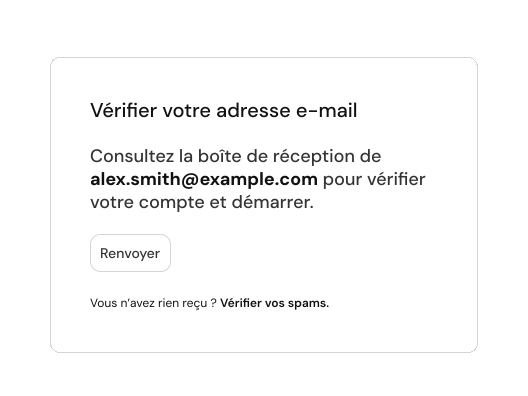
Une fois vos informations enregistrés vous serez redirigé vers une page, vous recevez par la suite un lien de confirmation par mail.
 ## Informations de l'entreprise
Vous recevez vos factures dans la sections **"**[**Documents**](https://app.gando.pro/g/settings/documents)**"** depuis votre dasboard ou sinon vous depuis votre email via le bouton.
Previewing helps you make sure your changes look as intended. We built a
command line interface to render these changes locally.
1. Install the
[Mintlify CLI](https://www.npmjs.com/package/mintlify) to preview the
documentation changes locally with this command: `npm i -g mintlify`
2. Run the following command at the root of your documentation (where
`docs.json` is): `mintlify dev`
If you’re currently using the legacy `mint.json` configuration file, please update the Mintlify CLI:
`npm i -g mintlify@latest`
And run the new upgrade command in your docs repository:
`mintlify upgrade`
You should now be using the new `docs.json` configuration file. Feel free to delete the `mint.json` file from your repository.
## Fuseau horaire
## Devise
Learn how to update your docs locally and deploy them to the public.
### Edit and preview
Vous recevez vos factures dans la sections **"**[**Documents**](https://app.gando.pro/g/settings/documents)**"** depuis votre dasboard ou sinon vous depuis votre email via le bouton.
Previewing helps you make sure your changes look as intended. We built a
command line interface to render these changes locally.
1. Install the
[Mintlify CLI](https://www.npmjs.com/package/mintlify) to preview the
documentation changes locally with this command: `npm i -g mintlify`
2. Run the following command at the root of your documentation (where
`docs.json` is): `mintlify dev`
If you’re currently using the legacy `mint.json` configuration file, please update the Mintlify CLI:
`npm i -g mintlify@latest`
And run the new upgrade command in your docs repository:
`mintlify upgrade`
You should now be using the new `docs.json` configuration file. Feel free to delete the `mint.json` file from your repository.
## Informations de l'entreprise
Vous recevez vos factures dans la sections **"**[**Documents**](https://app.gando.pro/g/settings/documents)**"** depuis votre dasboard ou sinon vous depuis votre email via le bouton.
Previewing helps you make sure your changes look as intended. We built a
command line interface to render these changes locally.
1. Install the
[Mintlify CLI](https://www.npmjs.com/package/mintlify) to preview the
documentation changes locally with this command: `npm i -g mintlify`
2. Run the following command at the root of your documentation (where
`docs.json` is): `mintlify dev`
If you’re currently using the legacy `mint.json` configuration file, please update the Mintlify CLI:
`npm i -g mintlify@latest`
And run the new upgrade command in your docs repository:
`mintlify upgrade`
You should now be using the new `docs.json` configuration file. Feel free to delete the `mint.json` file from your repository.
## Fuseau horaire
## Devise
Learn how to update your docs locally and deploy them to the public.
### Edit and preview
Vous recevez vos factures dans la sections **"**[**Documents**](https://app.gando.pro/g/settings/documents)**"** depuis votre dasboard ou sinon vous depuis votre email via le bouton.
Previewing helps you make sure your changes look as intended. We built a
command line interface to render these changes locally.
1. Install the
[Mintlify CLI](https://www.npmjs.com/package/mintlify) to preview the
documentation changes locally with this command: `npm i -g mintlify`
2. Run the following command at the root of your documentation (where
`docs.json` is): `mintlify dev`
If you’re currently using the legacy `mint.json` configuration file, please update the Mintlify CLI:
`npm i -g mintlify@latest`
And run the new upgrade command in your docs repository:
`mintlify upgrade`
You should now be using the new `docs.json` configuration file. Feel free to delete the `mint.json` file from your repository.